WhatsApp QR Code for Your Store: Setup and Placement (2026)
A WhatsApp QR code opens a chat with your business number and a prefilled message (up to 140 characters on Meta codes). Make, place and track one.
 Nicolas ProvostMay 19, 2026 · 17 min read
Summarize this article with an AI
 ChatGPT
 Claude
Table of contents (15)
Key takeaways
- A WhatsApp QR code for a store encodes a click-to-chat link (wa.me, your number and a prefilled message) or a WhatsApp short link, and opens a chat with your business when a customer scans it.
- QR codes created with Meta's tools carry a prefilled message of up to 140 characters, can be edited after printing, and are capped at 2,000 per business phone number, according to Meta.
- Meta offers no scan analytics for its QR codes and short links, so give each placement its own code and its own prefilled message to see which packaging, display or ad starts conversations.
- Leave a quiet zone of four modules around the code, export it as SVG for print, and test it on an iPhone and on an Android phone (Android 9 or later reads QR codes in the built-in camera).
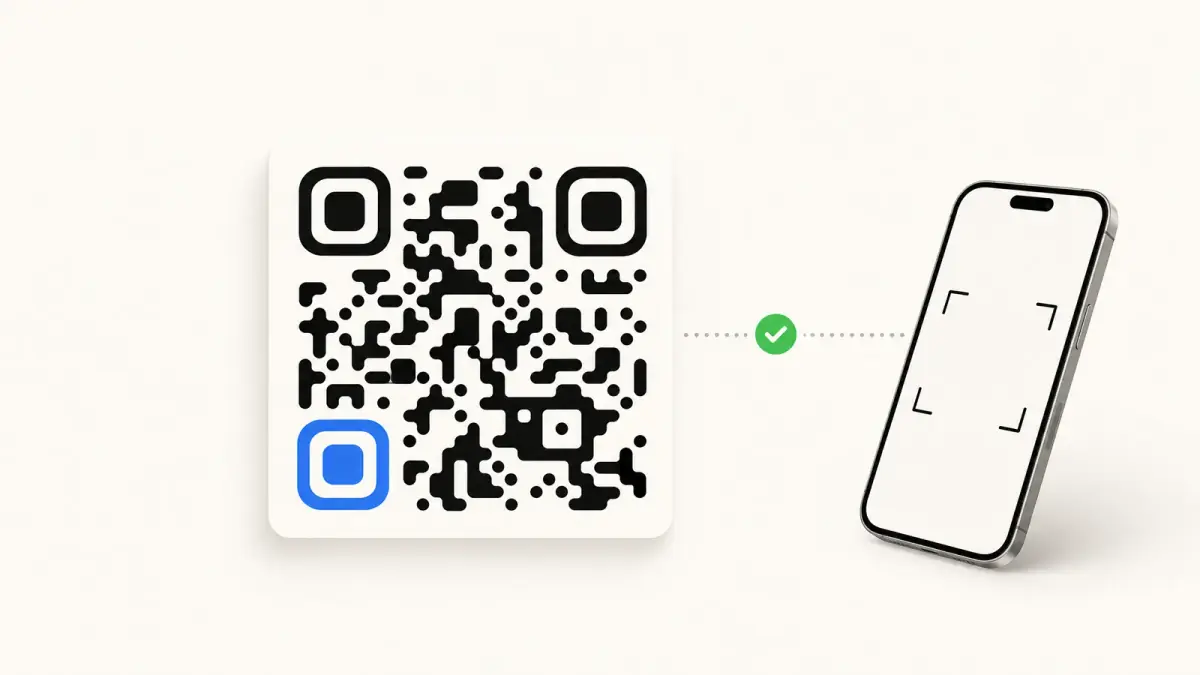
A WhatsApp QR code for a business is a QR code that opens a chat with your store's WhatsApp number when a customer scans it with a phone camera, with a first message already typed for them. To make one, build a click-to-chat link in the form https://wa.me/<number>?text=<message> (our free WhatsApp link generator builds it), turn that link into a QR code, test it, then print it where the customer already holds your product: the parcel, the receipt, the counter, a print ad.
This guide covers the three ways to get a QR code for a business number, the prefilled message to use for each placement, print rules from the inventor of the QR code, which phones can scan it, how to measure scans when Meta gives no scan data, and what happens to the conversation once the customer taps send. Meta's documentation, Apple's and Google's help pages and qrcode.com were read on November 4, 2026.
What is a WhatsApp QR code?
A WhatsApp QR code is a standard QR code that holds a link to a WhatsApp chat. Meta's QR codes and short links documentation describes it as a way for customers to start a chat with a business by scanning with their phone camera, without typing a phone number. There is no special WhatsApp format: the phone reads the link, and WhatsApp opens the chat.
For a business number, the link takes one of two forms:
| Link inside the code | Example | Where the message lives |
|---|---|---|
| Click-to-chat link | https://wa.me/15551234567?text=Hi%2C%20I%20just%20received%20my%20order | In the link itself, and your number is visible in it |
| WhatsApp short link | https://wa.me/message/4O4YGZEG3RIVE1 | On WhatsApp's side, editable later, and your number is masked |
Sources: WhatsApp Help Center, How to use click to chat; Meta, QR Codes and Short Links, example deep link, read on November 4, 2026.
Two other WhatsApp QR codes are not meant for your customers: the personal QR code that adds someone as a contact, and the QR code on WhatsApp Web that logs your own account into a computer (covered at the end of this guide). The syntax of the click-to-chat link itself, with its encoding rules, is detailed in our WhatsApp click-to-chat link guide.
Three ways to create a WhatsApp QR code for a business number
| Method | Prefilled message | Change it after printing | Limits | Best for |
|---|---|---|---|---|
| wa.me link turned into a QR code | Yes, written in the link | No: a new message means a new code | A longer message makes a denser code | Any number, app or API |
| QR code of the WhatsApp Business app | Yes, a default message set in the app | Yes, by editing the default message | Resetting the code deactivates the old one | A small store answering from the app |
| Meta's business tools or the API | Yes, up to 140 characters | Yes, at any time | Up to 2,000 codes and short links per phone number | A store on the WhatsApp Business Platform |
Sources: Meta, QR Codes and Short Links, "Limitations" and "Prefilled messages"; WhatsApp Help Center, How to share your WhatsApp Business QR code and How to reset your QR code for WhatsApp Business.
Method 1: a wa.me link turned into a QR code
This method works with any WhatsApp number and gives you one code per placement.
- Write the number in international format: country code then number, digits only, with no plus sign, no leading zero, no spaces and no dashes (15551234567 for a US number, 447912345678 for a UK one).
- Write the prefilled message for the placement (examples in the next section).
- Generate the link in the WhatsApp link generator: it encodes the message and returns a
https://wa.me/...?text=...link, with a "Test Your Link" button to open it. - Turn the link into a QR code with a QR code generator that creates static codes, where the link is written in the pattern. A "dynamic" code sends the scan through the vendor's redirect first, so it keeps working only as long as that service and your account with it do.
- Export an SVG for print and test the code (see the print rules below).
Our generator builds and tests the link. It does not draw the QR image, which is why step 4 uses a separate QR code generator.
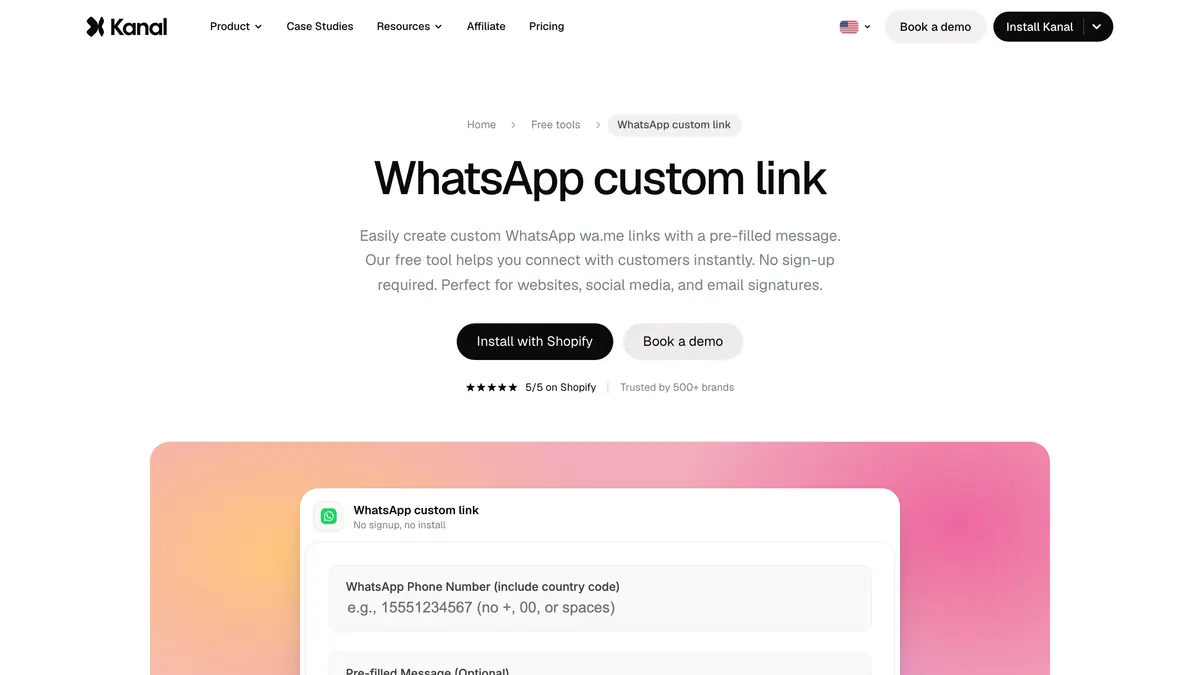 Source: Kanal WhatsApp link generator, read on November 4, 2026.
Method 2: the QR code of the WhatsApp Business app
The WhatsApp Business app gives your business a short link and a QR code. According to the WhatsApp Help Center, you find them in the app's tools, under Short link, where you can share the code or print it for a physical store. You can set a default message that customers see when they scan, and they can edit it before sending (How to edit your default message).
One warning for printed material: resetting the QR code in the app deactivates the previous one, and the old code stops working when scanned (How to reset your QR code). If your packaging carries the app's code, never reset it.
Method 3: QR codes from Meta's business tools or the API
If your number runs on the WhatsApp Business Platform, Meta lets you create, edit and delete QR codes in its Business Manager interface or with the WhatsApp Business Management API. Meta's documentation gives these rules:
- Creation: a request to the
message_qrdlsendpoint of your phone number, with aprefilled_messageand an image format,SVGorPNG. The response returns the code, itshttps://wa.me/message/link and the image URL. - Prefilled message: up to 140 characters, which you can update or delete at any time.
- Volume: up to 2,000 QR codes and short links per business phone number.
- Expiry: codes do not expire automatically. A customer who scans a deleted code sees an error saying the QR code has expired.
- Desktop: a short link clicked on a computer opens the WhatsApp desktop app with the message in the chat, or prompts the person to install it.
- Language: you are responsible for using the right code for your customers' location and language.
Because the message can change without a new print, this is the option to choose for packaging printed in large runs: the same code can carry a holiday message in December and a reorder message in January.
Which prefilled message to use for each placement
The prefilled message does two jobs: it gives the customer a sentence to send, and it tells you where the scan came from. Keep it short (140 characters is the cap on Meta's codes) and specific to the spot where the code is printed.
| Placement | Prefilled message example | What it tells you |
|---|---|---|
| Packaging insert | "Hi, I just received my order and I have a question" | A post-purchase question, usually about use or delivery |
| Product care card | "Hi, how do I use [product name]?" | Which product generates questions |
| In-store counter | "Hi, I'm in your store and I'd like to stay in touch on WhatsApp" | A walk-in customer who agrees to be contacted |
| Shop window | "Hi, are you open this weekend?" | An after-hours visitor |
| Print or outdoor ad | "Hi, I saw your ad for [offer]" | Which ad and which offer |
| Trade show or pop-up booth | "Hi, we met at [event name]" | Which event |
The customer sees the message typed in the chat and taps send. They can change it or delete it, so treat the phrase as a strong signal, not as a guaranteed tag.
Where to place a WhatsApp QR code: packaging, store, ads
A QR code gets scanned when the customer has a phone in hand, a reason to ask, and nothing to type on. That is mostly print and physical space.
On packaging. The insert card in the parcel and the product's care card reach a customer who has just bought from you, which is the best moment to answer a question or to ask for consent to future messages. The outside of the shipping box gets scuffed in transit: use a larger code and a higher error correction level there. Our guide to WhatsApp customer support for Shopify covers how to answer the questions these codes bring in.
In a physical store. At the counter, on shelf labels, on the receipt and in the window for people walking past when you are closed. Write the benefit next to the code: "Scan to get restock alerts" works better than "Scan me".
In ads. Print, outdoor, posters, flyers, catalogs and screens in stores or at events, anywhere the ad is not on the phone the customer would scan with. When the ad is already on a phone screen, as on Instagram or Facebook, a QR code cannot be scanned by that same phone: use a button that opens WhatsApp, or a click-to-WhatsApp ad. Our click-to-WhatsApp ads benchmarks guide explains how to measure those.
At events. A standing sign at a trade show booth or a pop-up stall, with the event name in the prefilled message so the follow-up has context.
On your own website, a link is faster than a QR code for mobile visitors. A QR code still helps desktop visitors, who can scan the screen with their phone to continue on WhatsApp.
| Surface | QR code | Link or button |
|---|---|---|
| Parcel, packaging, receipt, store | Yes | No, paper cannot be clicked |
| Print and outdoor ads | Yes | No |
| Website on desktop | Yes, to move to the phone | Yes |
| Website on mobile, social posts, email | No | Yes |
| Ads on a phone screen | No | Yes, or a click-to-WhatsApp ad |
How to print a WhatsApp QR code that scans
DENSO WAVE, the company that created the QR code, publishes the rules that make a code readable on qrcode.com.
Leave a quiet zone. A QR code needs an empty margin four modules wide on every side (a module is one black or white square of the pattern). Text, a border or a photo pressed against the code makes it fail.
Choose the error correction level. A QR code can restore part of its data when it is dirty or damaged. The level sets how much:
| Level | Data that can be restored |
|---|---|
| L | About 7% |
| M | About 15% |
| Q | About 25% |
| H | About 30% |
Source: DENSO WAVE, Error correction feature, read on November 4, 2026. Level M is the one most frequently selected; Q or H suit codes that get dirty.
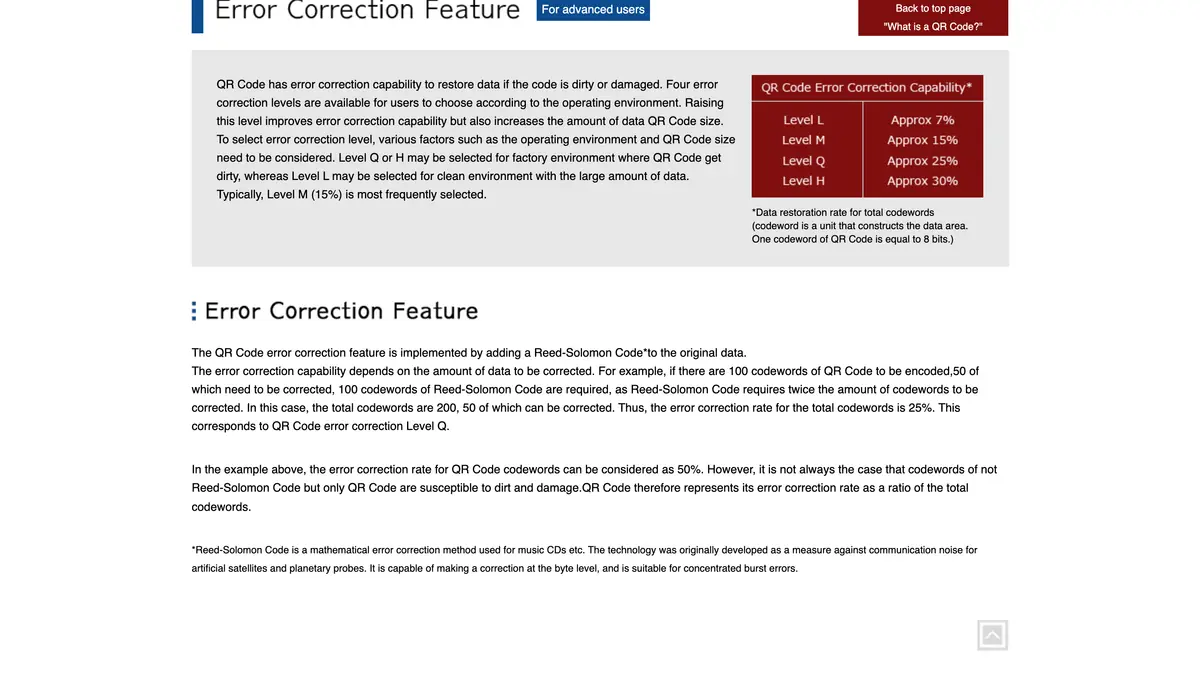 Source: DENSO WAVE, Error correction feature, read on November 4, 2026.
A higher level adds data, so it makes the code larger. Use M for an insert card that stays clean inside the box, Q or H for a shipping box, a sticker on a product or an outdoor sign.
Keep the link short. QR codes come in versions from 21 x 21 modules (Version 1) to 177 x 177 modules (Version 40), and more data needs more modules (qrcode.com, version). A long prefilled message makes a denser code that is harder to read when printed small. A short link from Meta's tools stays short whatever the message, since the message is stored by WhatsApp.
Export as SVG. Meta recommends the SVG format for print, because it can be resized for packaging and signage without losing quality.
Leave the pattern alone. Meta advises against changing the color or the look of the code itself to keep it readable. Dark modules on a light background are the safe choice. If you add a logo in the middle, use level Q or H and test the result.
Add a call to action. A code with no reason to scan gets ignored. One line next to it is enough: "Scan to ask us about sizing", "Scan for restock alerts on WhatsApp".
Test the proof. Print it at its final size, on its final material, and scan it with an iPhone and an Android phone from the distance a customer will stand. Check that the right chat and the right message open.
Which phones can scan a WhatsApp QR code?
- iPhone: open Camera, stay in Photo mode, frame the code and tap the link that appears at the bottom of the screen. The Scan Code control in Control Center does the same (Apple Support).
- Android: open the built-in camera, point it at the code and tap the banner that appears. Google's help center says you need Android 9 or later to scan QR codes with the built-in camera; on an older phone, a QR code app does it (Google Account Help).
- Computer: a computer does not scan your printed code, but a WhatsApp short link clicked on a desktop opens the WhatsApp desktop app, according to Meta.
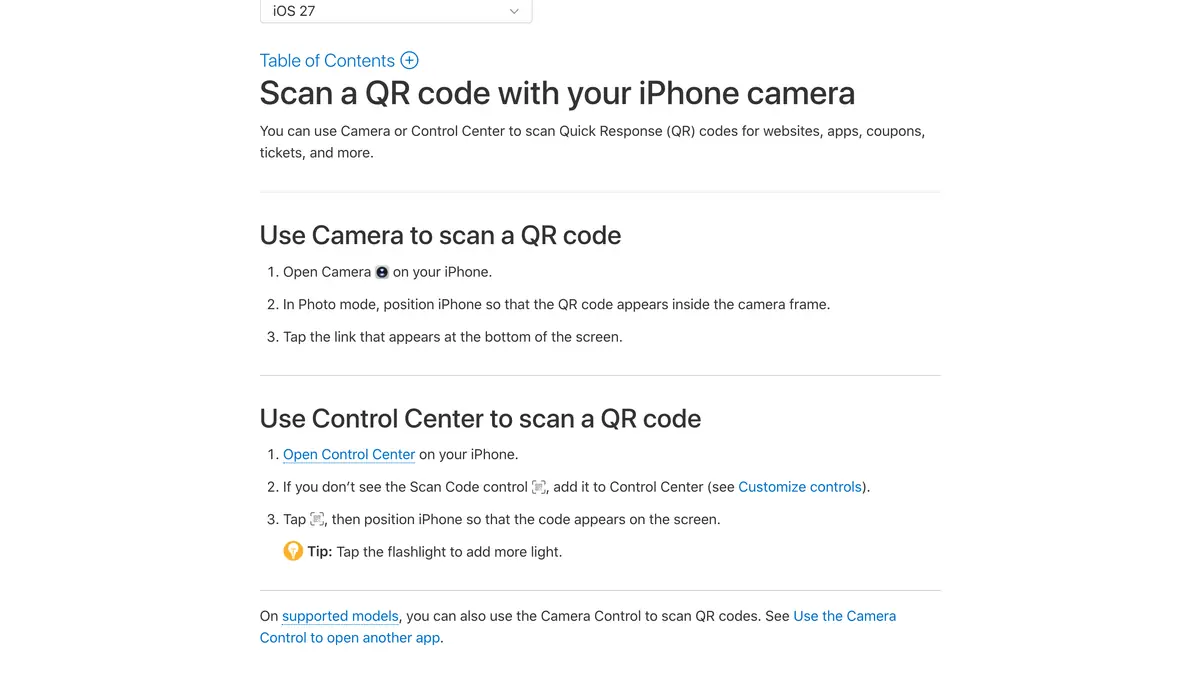 Source: Apple Support, Scan a QR code with your iPhone camera, read on November 4, 2026.
How to track WhatsApp QR code scans
Meta's documentation is plain: analytics are not available for QR codes and short links, because WhatsApp limits the data it logs to protect user privacy. You will not get a scan count from WhatsApp. Three methods give you a reliable picture anyway:
- One code per placement, one message per code. The packaging insert opens with "Hi, I just received my order", the poster with "Hi, I saw your poster". Count the conversations that start with each phrase. With Meta's tools, you can create up to 2,000 codes for one number, which leaves room for a code per product line, store or event.
- A redirect page on your own domain. Point the code to a page such as
yourstore.com/go/packagingthat your analytics tool records, then sends the visitor on to the wa.me link. You get visits per placement, with UTM parameters if you use them. The trade-off: one more step in the browser, and every printed code depends on that page staying online. - A code to redeem. Reply to each placement with its own discount code and count the redemptions in Shopify. This measures sales, not only conversations.
For the metrics to follow once conversations start, see our guide to WhatsApp marketing ROI and KPIs.
What happens after the scan
The scan opens the chat and the customer taps send: from that moment, a conversation the customer started is open.
- Cost. Meta does not charge for the messages customers send you, and the WhatsApp Business app is free. On the WhatsApp Business API, Meta's pricing documentation (read on October 23, 2026) states that replies inside the 24-hour customer service window are free for the first 1,000 service messages each month per phone number, then billed at the utility rate since October 1, 2026. Our WhatsApp Business pricing guide has the rates by country.
- Consent. A customer who writes to you has not agreed to receive promotions. To send campaigns later, ask for explicit consent in the conversation and keep a record of it. Our WhatsApp opt-in guide covers the rules.
- US customers. Meta's per-user marketing limits page (read on October 24, 2026) states that WhatsApp does not currently deliver marketing template messages to US phone numbers. A QR code still opens a conversation with a US customer, and your replies inside the service window are delivered. For promotions to US customers later, stores use SMS or RCS; our WhatsApp marketing in the USA guide explains what still works.
The WhatsApp Web QR code is a different code
Many searches for "WhatsApp QR code" are about logging in to WhatsApp Web. That code appears on web.whatsapp.com and in the desktop app, and you scan it from WhatsApp on your own phone, in Linked devices, to open your account on a computer. It has nothing to do with customers. Our WhatsApp Web and Desktop guide covers the login, the linked devices and the fixes when the code will not scan.
Common WhatsApp QR code mistakes
- Printing without testing. Scan the proof at its final size and on its final material with two phones before the print run.
- One code everywhere. The same code on the parcel, the counter and a poster tells you nothing about which one works.
- Breaking a printed code. Resetting the WhatsApp Business app's code, or deleting a Meta code that is still on packaging, makes every printed copy useless.
- A personal number. Use the store's business number from day one, so that conversations stay with the store when the team changes.
- No reason to scan. A code with no line of text next to it gets passed by.
Where Kanal fits
Kanal is a WhatsApp marketing and sales app for Shopify stores, rated 5.0 on the Shopify App Store. It handles what follows the scan.
- One inbox. Conversations opened from your QR codes arrive in Kanal's shared team inbox with their first message, so the placement phrase stays readable for whoever answers.
- Answers outside opening hours. On the Scale and Business plans, the AI agent replies to the first questions and hands the conversation to your team.
- What comes next. Segments, WhatsApp campaigns to customers who opted in, order notifications, abandoned cart recovery and back in stock alerts, with the revenue tracked per message.
- On your website. A pop-up and a chat widget open WhatsApp to collect opt-ins from visitors, where a link works better than a QR code.
- US route. RCS and SMS are included from the Scale plan, for the customers WhatsApp marketing messages do not reach.
Plans on Kanal's pricing page, as of November 4, 2026: Pro €89 a month, Scale €149, Business €350, with Meta billing WhatsApp messages on top. The Kanal for Shopify page shows the setup.
WhatsApp QR code at a glance
| Item | What applies | Source |
|---|---|---|
| Link inside the code | wa.me/<number>?text=<message> or wa.me/message/<code> | WhatsApp Help Center, Meta |
| Prefilled message on Meta's codes | Up to 140 characters, editable at any time | Meta |
| Codes per business number | Up to 2,000 QR codes and short links | Meta |
| Scan analytics from Meta | Not available | Meta |
| Quiet zone | Four modules on every side | qrcode.com |
| Error correction | L about 7%, M about 15%, Q about 25%, H about 30% | qrcode.com |
| Print format | SVG | Meta |
| Android built-in camera | Android 9 or later | Google Account Help |
Start with one placement, usually the insert card in your parcels: write a prefilled message for it, generate the link with the WhatsApp link generator, print a tested code with a line that gives a reason to scan, and count the conversations that open with that message in the first weeks.
See Kanal on your own store
- Your campaigns and cart reminders on WhatsApp, starting from your own store
- Post-purchase offers, back-in-stock alerts, then the AI agent that advises your customers
- You leave with the plan that fits and its price
From €89/month
- brands
- 500+
- to set up
- 5 min
- open rate on WhatsApp
- +90%
Nicolas helps e-commerce brands grow revenue with WhatsApp marketing. With deep expertise in Shopify ecosystems and conversational commerce, he shares proven strategies for abandoned cart recovery, broadcast campaigns, and AI-powered customer engagement.