WhatsApp Customer Support for Shopify: Setup and Costs 2026
WhatsApp customer support for Shopify: shared inbox, AI agent for order tracking, Gorgias or Zendesk hand-off. Replies are billed past 1,000 a month.
 Nicolas ProvostMay 12, 2026 · 16 min read
Summarize this article with an AI
 ChatGPT
 Claude
Table of contents (19)
Key takeaways
- WhatsApp support for a Shopify store runs on three pieces: a shared inbox for the team, an AI agent for the repetitive questions, and a hand-off to the helpdesk for what needs a person.
- Since October 1, 2026, Meta bills replies inside the 24-hour customer service window at the utility rate after 1,000 free service messages per business phone number each month: $0.0034 in the US, $0.0220 in the UK.
- An AI agent should give an order status only after checking the customer's email and order number, and hand refunds, discounts and cancellations to a person.
- Gorgias and Zendesk can host a WhatsApp number directly, which means migrating it from any other provider, or a WhatsApp platform keeps the number and hands conversations to the helpdesk.
How do you run WhatsApp customer support for a Shopify store? Put your business number on the WhatsApp Business Platform, answer from a shared team inbox, let an AI agent take the repetitive questions (order status first), and hand the conversations that need a person to your team or your helpdesk, such as Gorgias or Zendesk. Since October 1, 2026, Meta bills your replies inside the 24-hour customer service window at the utility rate of the customer's country, after 1,000 free service messages per business phone number each month, according to Meta's pricing documentation.
Support load grows with every order a Shopify store ships. Each order can turn into a "where is my package?", a return or a sizing question, and customers expect the answer on the app they already use. This guide covers the rules of WhatsApp support, what it costs, the conversations a store receives and who should answer each one, what to automate with an AI agent, how to connect Gorgias or Zendesk, and the metrics to track.
How WhatsApp customer support works
Three rules shape every WhatsApp support setup:
- The customer writes first. A customer message opens a 24-hour customer service window, and each new customer message resets it. Inside the window, you can reply freely, with text, images or documents. These replies are what Meta calls service messages.
- Outside the window, templates only. Once 24 hours have passed without a customer message, you can only send a template that Meta has reviewed, such as an order update (a utility template).
- App or Platform. The free WhatsApp Business app works for a small team answering by hand. A shared inbox with assignment, an AI agent working on your Shopify data and a helpdesk connection need the WhatsApp Business Platform (the API), usually through a provider. Our WhatsApp Business API guide explains the setup. Zendesk's help center notes that a number cannot be used in the WhatsApp Business app and the API at the same time (Zendesk, as of November 4, 2026), so moving to the Platform means leaving the app on that number.
For chat on the storefront itself, Shopify has its own tool, covered in our Shopify Inbox guide.
What WhatsApp customer support costs
Meta bills support in two lines: your replies inside the window (service messages) and the order updates you send as templates (utility messages). Since October 1, 2026, the two cost the same in each market, and each business phone number gets 1,000 free service messages a month, with no roll-over.
| Customer's country | Service reply, after 1,000 free a month | Utility template (order or shipping update) |
|---|---|---|
| United States | $0.0034 | $0.0034 |
| United Kingdom | $0.0220 | $0.0220 |
| France | $0.0300 | $0.0300 |
Source: Meta's list rates per delivered message, in USD, on its rate calculator, rate card effective October 1, 2026. Utility rates drop with monthly volume; service messages have no volume tiers. Meta can change rates only on the first day of a quarter, according to the pricing calendar in its documentation.
A worked example with UK rates: 1,000 support conversations a month with 3 replies each make 3,000 service messages. The first 1,000 are free, and the other 2,000 cost 2,000 × $0.0220 = $44.00. Replies written by a person or by a third-party AI count as service messages. Replies from Meta's own AI agent, Meta Business Agent, are billed per token instead: $2.00 USD per 1 million tokens, about 4 to 5 US cents per message, according to Meta's page on non-template messages. Rates for other countries are in our WhatsApp Business pricing guide.
The plan of your WhatsApp platform or helpdesk comes on top of Meta's fees.
WhatsApp vs email and phone for Shopify support
Email is asynchronous but slow: every back-and-forth on a return adds another wait. Phone support means hold time and one call per agent at a time. WhatsApp sits between the two: conversational like a call, asynchronous like email.
| Criterion | Phone | ||
|---|---|---|---|
| Mode | Asynchronous | Live, one call at a time | Asynchronous, inside a chat app |
| Conversations per agent | Handled in parallel | One at a time | Handled in parallel |
| Automation | Auto-replies and macros | Phone menus | AI agent, buttons, order lookups |
| Message cost | Your email plan | Your phone plan | Free up to 1,000 service messages a month per number, then the utility rate |
| Best for | Long, documented cases | Urgent or sensitive issues | Order status, returns, quick questions |
Your own numbers are the benchmark that matters: compare first response time, cost per resolved ticket and CSAT per channel once WhatsApp runs next to email and phone. Read receipts also tell agents whether a reply landed.
One number or two for marketing and support
Many stores send campaigns and answer support from the same number. Both setups work:
- One number: customers who reply to a campaign or a cart reminder reach support in the same chat. Simpler for customers, but the inbox mixes campaign replies with tickets, so route by intent (order question, product question, campaign reply).
- Two numbers: a marketing number for campaigns and automations, a support number for inbound questions. Inboxes stay apart, but some customers will write to the wrong one, so link the support number from your order emails and your contact page.
Whichever you pick, protect your sending reputation: blocks and reports on your campaigns pull your number's quality rating down, as our quality rating guide explains.
The 12 support conversations a Shopify store gets on WhatsApp
Each line below is a ticket type a Shopify support inbox sees every week. The right column says who should answer it: an AI agent for questions it can answer from your data and policies, a person for anything that commits money or changes an order.
| # | Conversation | Who answers | What the answer needs |
|---|---|---|---|
| 1 | "Where is my order?" | AI agent | The customer's email and order number checked first, then the fulfillment status |
| 2 | Tracking link or delivery delay | AI agent, or a shipping update sent before the question | The carrier's tracking link and the latest event |
| 3 | Return request | Person, or your returns app | Your return window and conditions; the AI agent can explain the policy |
| 4 | Refund request or refund status | Person | Access to the order's payments in Shopify |
| 5 | Size and fit | AI agent | Size charts and product descriptions |
| 6 | Out-of-stock product | AI agent | Stock level, and an opt-in for a back-in-stock alert |
| 7 | Subscription pause or cancellation | Person, or your subscription app | Subscription details; cancellations stay with a person |
| 8 | Address change | Person | Whether the order has shipped yet |
| 9 | Damaged or wrong item | Person | Photos of the item and the packaging, collected in the chat |
| 10 | Discount code request or code not working | Person | Your promotion rules |
| 11 | Order cancellation | Person | Whether the order has shipped yet |
| 12 | Message outside business hours | AI agent, or an away message | Your opening hours and when a person will reply |
A few sample replies, to adapt to your brand:
Order status, after verification: Thanks Sarah, I found order #1042 with your email. It shipped on May 10 with DHL and should arrive May 14 or 15. Here is the tracking link.
Hand-off: I'm passing this to our team, who handle refunds. They have your order details and will reply here in this chat.
Outside business hours: Our team is offline until 9 a.m. I can answer questions about orders and products now; anything else will be picked up first thing tomorrow.
For away messages ready to paste, see our WhatsApp away message templates.
Featured app: Reviewz.ai collects Trustpilot reviews on autopilot via email, SMS, and WhatsApp. Multichannel review requests with native Shopify event triggers.
Order tracking questions: answer them before they arrive
"Where is my order?" is the most frequent support question for most stores, and the cheapest one to prevent. Send an order confirmation and a shipping update with the tracking link on WhatsApp: Meta's template categorization guide classes them as utility messages, which Meta still delivers to US numbers, unlike marketing templates. WhatsApp order notifications cover that flow, and our guide to WISMO and how to reduce it shows how to calculate a WISMO rate. For a branded tracking page on the store itself, see the best Shopify order tracking apps.
When the question still comes in, verify before you answer. A phone number alone does not prove who placed an order (gift orders, shared phones, a partner's number), so ask for the email used at checkout and the order number, check that they match, then share the status. This is the rule to give an AI agent too.
What to automate with an AI agent, and what to hand over
An AI agent on WhatsApp answers the repetitive questions in seconds, at any hour, and frees agents for the cases that need judgment. Draw the line clearly:
- Automate: order status after verification, delivery times, product and sizing questions, stock, and your shipping and return policies.
- Hand over: refunds, discounts, cancellations, address changes, damaged items, complaints, and any customer who asks for a person.
- Hand over well: the person who takes over should see the whole conversation, so the customer never has to repeat the problem.
Meta also offers its own AI agent, Meta Business Agent. On the WhatsApp Business Platform, Meta's eligibility list requires a number that is not already running another AI agent (an active authorized-agent integration blocks Meta Business Agent), as of November 4, 2026; our Meta Business Agent guide covers how it works and what it costs. To compare the agents built for online stores, see our list of AI agents for ecommerce.
Gorgias or Zendesk: two ways to connect WhatsApp to your helpdesk
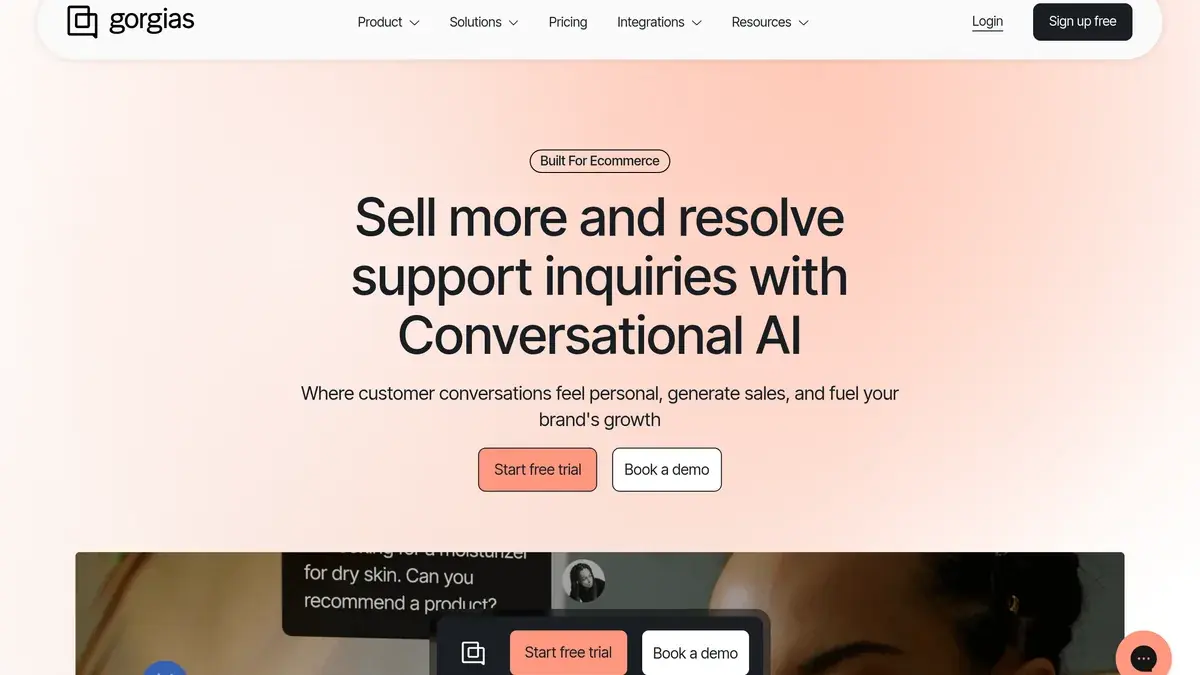
Most Shopify support teams already work in Gorgias or Zendesk. The mistake is to run WhatsApp as a parallel inbox that agents flip to. There are two ways to avoid it.
Option 1: connect the number to the helpdesk directly.
- Zendesk offers a WhatsApp channel in the Agent Workspace on all Zendesk Suite plans (Team, Growth, Professional, Enterprise and Enterprise Plus), or with Support and Chat plus the Social Messaging add-on. A number already connected to another provider must be migrated to Zendesk (Zendesk help center, as of November 4, 2026).
- Gorgias offers a WhatsApp integration on all Helpdesk plans. Meta bills Gorgias for the WhatsApp charges, and your WhatsApp tickets are billed as helpdesk tickets; a number used through another provider goes through Gorgias's migration process (Gorgias WhatsApp FAQ, as of November 4, 2026).
Option 2: keep the number on a WhatsApp platform and hand off to the helpdesk. The platform runs campaigns, cart recovery, order notifications and the AI agent on the number, and the conversations that need a person reach the helpdesk, where agents reply. See the Gorgias and Zendesk integration pages for how that hand-off works.
| Number on the helpdesk | Number on a WhatsApp platform, hand-off to the helpdesk | |
|---|---|---|
| Support replies | From the helpdesk | From the helpdesk, or from the platform's inbox |
| Campaigns and cart recovery | Depends on the helpdesk | On the platform |
| AI agent on WhatsApp | The helpdesk's, if it has one | The platform's |
| Moving the number | Migration to the helpdesk | Stays on the platform |
If you are still choosing a helpdesk, see our comparison of customer service apps for Shopify, Gorgias vs Zendesk and our Gorgias pricing guide.
SLAs and metrics for WhatsApp customer support
You can't improve what you don't measure. The four metrics that move the business:
First response time (FRT): the time between the customer's first message and the first reply. Track the AI agent and the human FRT on escalated conversations separately: the agent answers instantly, so the human FRT is the one to watch.
Resolution time: the time from first message to closed ticket. Set your targets from your first weeks of data, and report returns separately, since their resolution time depends on shipping.
CSAT score: the average rating across resolved conversations, compared with your email and phone CSAT. Track the share of low ratings separately to spot AI answers that miss.
Deflection rate: the share of inbound conversations resolved without a person. If it stalls, add the questions the AI agent could not answer to its knowledge. If it climbs while CSAT drops, people are not being looped in enough on edge cases.
Bonus: track conversations per 1,000 orders before and after you send shipping updates on WhatsApp, to see whether the proactive messages prevent questions instead of just answering them faster. And watch your service messages per month against the 1,000 free per number: shorter, complete answers cost less.
Running WhatsApp support with Kanal
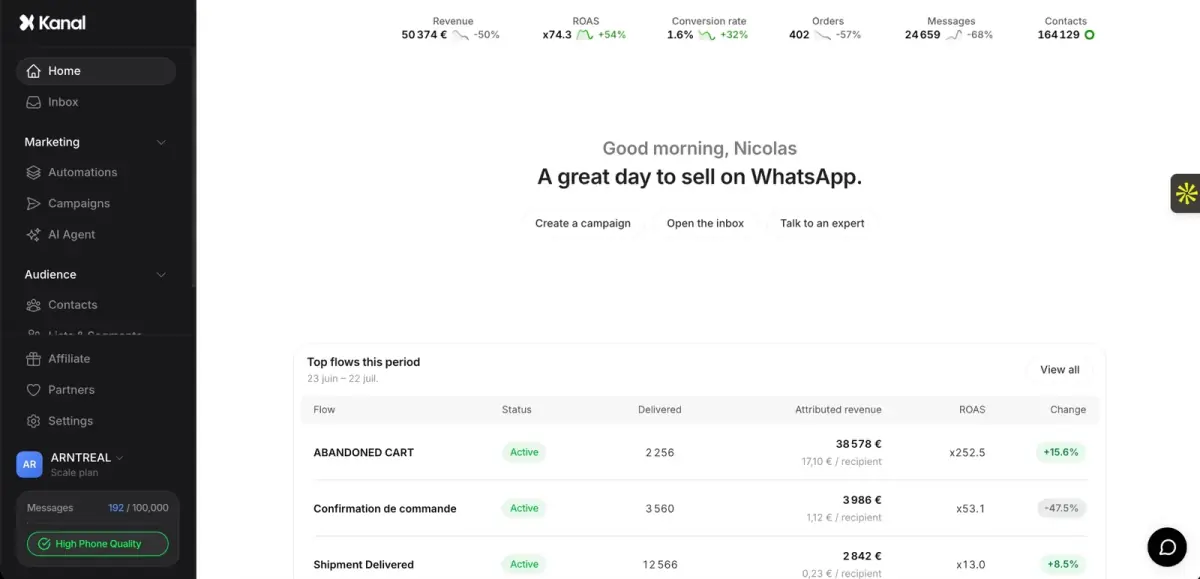
Kanal is a WhatsApp marketing and sales app for Shopify stores, rated 5.0 on the Shopify App Store. For support, it gives your team a shared WhatsApp inbox, sends order notifications and back in stock alerts, and runs automations next to your campaigns and abandoned cart recovery.
On the Scale and Business plans, Kanal's AI agent answers order tracking questions after checking the customer's email and order number. It never handles refunds, discounts or cancellations: it hands those conversations to your team. When a conversation needs a person, Kanal can hand it to Gorgias, Zendesk or Crisp, so agents answer from the helpdesk they already use.
One published result: at Fincut, the AI agent handles 80% of queries automatically, with a 2-minute average response time and a +15% CSAT improvement, according to our case studies.
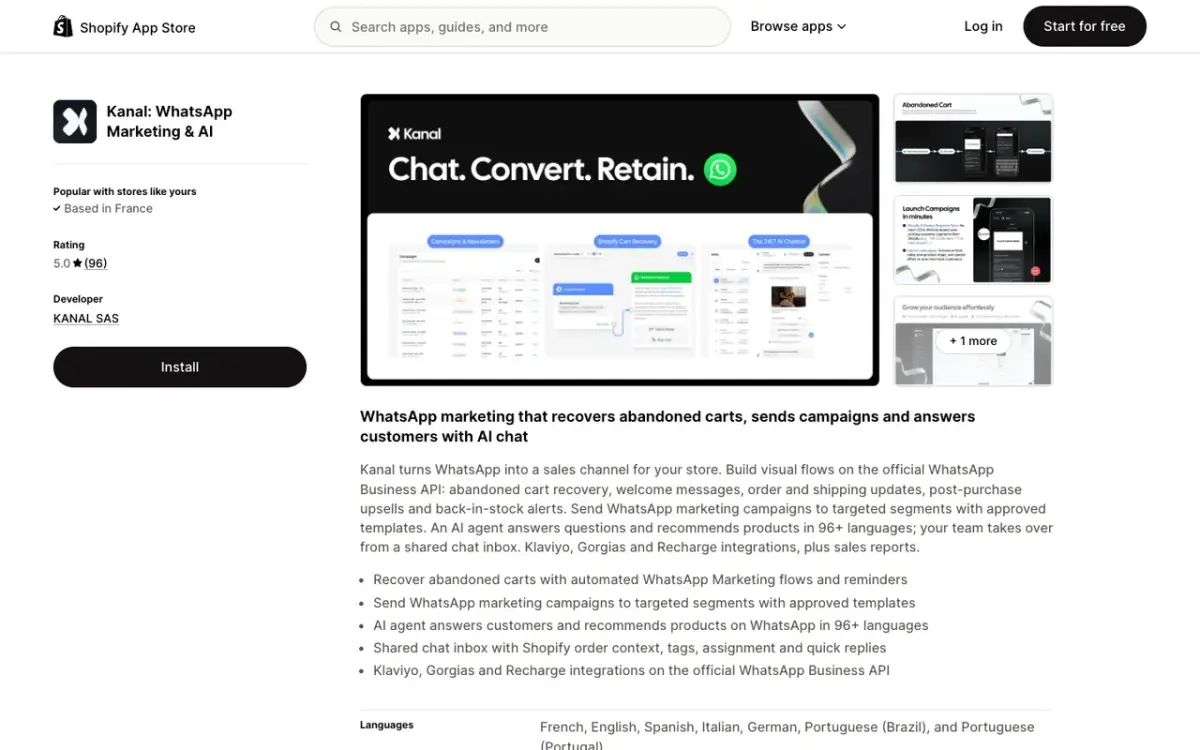
Plans are listed on the pricing page (read on November 4, 2026): Pro at €89 a month, Scale at €149 and Business at €350, with Meta's WhatsApp message fees billed on top. To connect the store, see Kanal's Shopify integration.
Frequently Asked Questions
How do I offer customer support on WhatsApp for my Shopify store?
Put your business number on the WhatsApp Business Platform through a provider, add a WhatsApp button or link to your store, and answer from a shared inbox. Let an AI agent take the repetitive questions such as order status, and send the conversations that need a person to your team or to your helpdesk, Gorgias or Zendesk. A very small store can start on the free WhatsApp Business app, but automation and a helpdesk connection need the Platform.
How much does WhatsApp customer support cost?
Meta bills your replies inside the 24-hour customer service window as service messages. Since October 1, 2026, each business phone number gets 1,000 free service messages a month, then pays the utility rate of the customer's country: $0.0034 in the US, $0.0220 in the UK and $0.0300 in France on Meta's rate card effective October 1, 2026. Your platform or helpdesk plan comes on top.
What should an AI agent do, and not do, in WhatsApp support?
Give it the repetitive questions: order status once it has checked the customer's email and order number, delivery times, product and sizing questions, and your return policy. Keep anything that commits money or changes an order with a person: refunds, discounts, cancellations, address changes and damaged items. On Kanal, the AI agent hands those to the team.
Can WhatsApp support work with Gorgias or Zendesk?
Yes, in two ways. Gorgias and Zendesk can each connect a WhatsApp number directly, which means migrating the number if another provider already hosts it. Or a WhatsApp platform keeps the number for campaigns, automations and the AI agent, and hands the conversations that need a person to the helpdesk, where agents reply.
How should I handle "where is my order?" questions on WhatsApp?
Prevent most of them with order confirmation and shipping update messages, which Meta classes as utility and still delivers to US numbers. For the questions that still come in, check the customer's email and order number before you share any order detail, then send the status and the tracking link.
Should I use the same WhatsApp number for marketing and support?
It depends on your volume. One number is simpler for customers, who can reply to a campaign and reach support in the same chat. Two numbers keep campaign replies and support tickets in separate inboxes, at the cost of customers sometimes writing to the wrong one. Either way, route by intent inside the inbox.
Conclusion
WhatsApp customer support for a Shopify store comes down to three decisions: who answers (an AI agent for the repetitive questions, a person for anything that commits money), where agents work (a shared inbox or your helpdesk), and how you prevent tickets (order confirmations and shipping updates sent before the customer asks). Since October 1, 2026, replies cost the utility rate after 1,000 free per number each month, so complete answers in fewer messages matter as much as fast ones.
The three steps to take now:
- Put your support number on the WhatsApp Business Platform and decide whether it lives on your helpdesk or on a WhatsApp platform
- Write the hand-off rules: what the AI agent answers, and what always goes to a person
- Send order and shipping updates on WhatsApp, then track conversations per 1,000 orders
Resources
See Kanal on your own store
- Your campaigns and cart reminders on WhatsApp, starting from your own store
- Post-purchase offers, back-in-stock alerts, then the AI agent that advises your customers
- You leave with the plan that fits and its price
From €89/month
- brands
- 500+
- to set up
- 5 min
- open rate on WhatsApp
- +90%
Nicolas helps e-commerce brands grow revenue with WhatsApp marketing. With deep expertise in Shopify ecosystems and conversational commerce, he shares proven strategies for abandoned cart recovery, broadcast campaigns, and AI-powered customer engagement.